


Crypto.com is a popular platform for buying, selling, and trading cryptocurrencies. Knowing how to withdraw your funds—whether cryptocurrency to an external wallet or fiat currency to your bank account—is essential for managing your assets. This guide provides clear, step-by-step instructions for both types of withdrawals, covering fees, security measures, and troubleshooting tips to ensure a smooth process.
Preparing for Withdrawal
Before withdrawing funds from Crypto.com, complete these steps:
- Complete KYC Verification: You must verify your identity through Know Your Customer (KYC) checks. Submit personal information and identity documents via the Crypto.com app. This is a standard security requirement to prevent fraud.
- Understand Withdrawal Types: Crypto.com supports two main withdrawal options:
- Cryptocurrency to an External Wallet: Transfer crypto (e.g., Bitcoin, Ethereum) to another wallet address.
- Fiat Currency to Your Bank Account: Convert crypto to fiat (e.g., USD, EUR, GBP) and send it to your bank.
Ensure you know which option suits your needs before proceeding.
How to Withdraw Cryptocurrency to an External Wallet
Withdrawing crypto to an external wallet is simple once your account is set up. Follow these steps:
- Log in to Your Crypto.com Account: Open the Crypto.com app or visit the website and sign in.
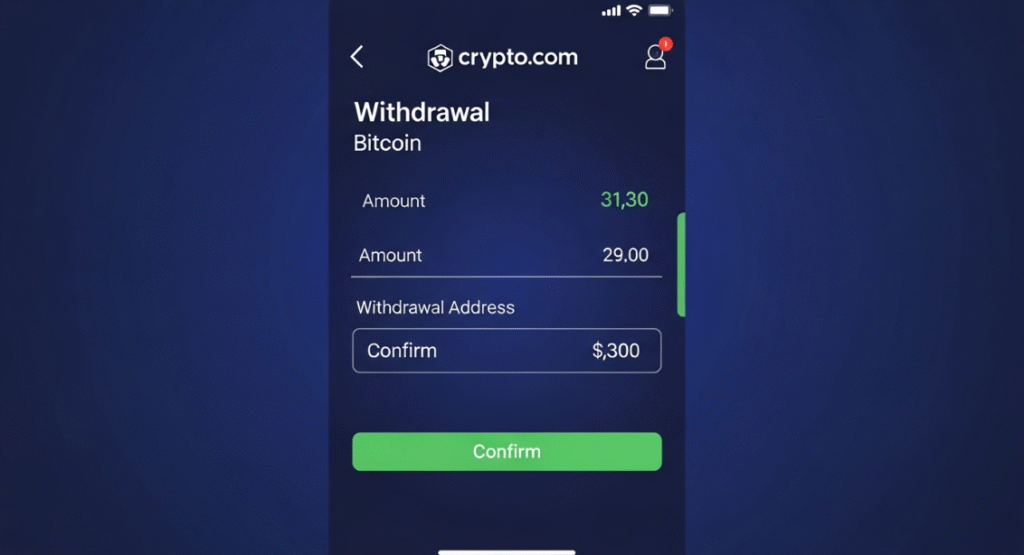
- Navigate to the Withdrawal Section: In the app, go to “Accounts,” select your crypto wallet, and tap “Withdraw.” On the website, click “Wallets” and select “Withdraw.”
- Select the Cryptocurrency: Choose the crypto you want to withdraw, such as Bitcoin (BTC) or Ethereum (ETH).
- Add a Withdrawal Address (if new): For a new address, add it first. This requires whitelisting, a security feature that may include a 24-hour lock for new addresses if enabled.
- Enter the Amount: Input the amount to withdraw. The displayed amount is after the withdrawal fee.
- Verify the Transaction: Use two-factor authentication (2FA) or an SMS one-time password (OTP) to confirm.
- Confirm the Withdrawal: Finalize the transaction. Most crypto withdrawals are instant but may take up to 2-3 hours.
How to Withdraw Fiat Currency to Your Bank Account
Withdrawing fiat currency involves converting crypto to fiat and transferring it to your bank. Here’s how:
- Convert Crypto to Fiat: Sell your cryptocurrency for the desired fiat currency (e.g., USD, EUR) within the Crypto.com app.
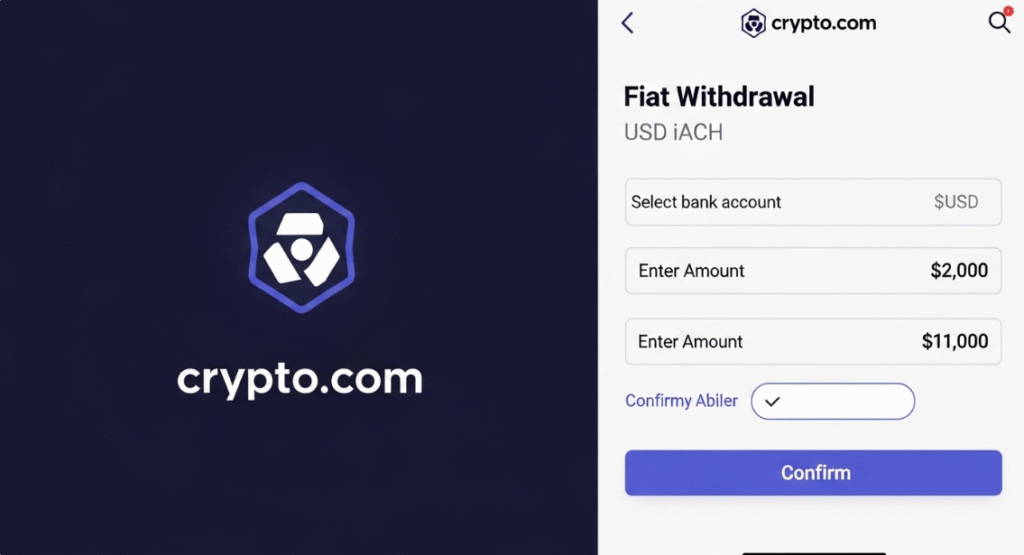
- Access Your Fiat Wallet: Go to your fiat account (e.g., USD Account) in the app.
- Initiate Withdrawal: Tap “Withdraw” or “Transfer” and select your linked bank account. If it’s a new bank, link it first by providing account details matching your KYC information.
- Enter the Amount: Specify the withdrawal amount, noting any minimum or maximum limits.
- Verify and Confirm: Authorize the transaction with 2FA or other security measures.
- Wait for Processing: Fiat withdrawals take longer than crypto. For example:
- USD via ACH: 1-3 business days
- EUR via SEPA: 1-2 business days
- GBP via FPS: 1-2 business days
Note: Your bank account name must match your Crypto.com account name for withdrawals.
Withdrawal Fees and Limits
Understanding fees and limits helps you plan withdrawals effectively. Here’s a breakdown:
| Currency | Minimum Withdrawal | Withdrawal Fee |
|---|---|---|
| Bitcoin (BTC) | 0.0012 BTC | 0.0006 BTC |
| Ethereum (ETH) | 0.00007–0.01 ETH | 0.000035–0.005 ETH |
| Solana (SOL) | 0.004–0.016 SOL | 0.002–0.008 SOL |
| USD Coin (USDC) | 0.36–32 USDC | 0.18–16 USDC |
| Ripple (XRP) | 0.6–1 XRP | 0.3–0.5 XRP |
| USD via ACH | No minimum specified | Free |
| EUR via SEPA | No minimum specified | €1.00 per withdrawal |
| GBP via FPS | No minimum specified | £1.90 per withdrawal |
- Additional Notes:
- Check the “Fees & Limits” section in the Crypto.com app for exact fees, as they may vary.
- Fiat withdrawals may have daily or monthly caps (e.g., USD via ACH up to $50,000 per month), depending on your account verification level.
- A 50 USDC fee applies for reversing erroneous on-chain withdrawals.
Security Measures for Withdrawals
Crypto.com prioritizes user safety with robust security features:
- Two-Factor Authentication (2FA): Required for all withdrawals to verify your identity.
- SMS One-Time Password (OTP): Adds an extra verification step for withdrawals.
- Address Whitelisting: For crypto withdrawals, whitelist trusted wallet addresses to prevent unauthorized transfers. New addresses may have a 24-hour lock if enabled.
- 24-Hour Withdrawal Lock: Activate this feature to delay withdrawals by 24 hours, giving you time to cancel suspicious transactions.

Troubleshooting Common Issues
If you encounter problems during withdrawal, try these solutions:
- Locating Transaction ID: Find the TxHash/TxID in your withdrawal history. Use it to track the transaction on a blockchain explorer.
- Delayed Withdrawal: Crypto withdrawals are typically instant but may take up to 2-3 hours. For fiat, expect 1-3 business days. Check the status using the TxHash for crypto or contact support for fiat delays.
- Unauthorized Withdrawal: If you suspect fraud, contact Crypto.com support immediately via the app (Menu > Customer Support). You may need to disable transactions, change your passcode, or update your email.
For more help, visit the Crypto.com Help Center.
Comparing Crypto.com with Other Exchanges
Crypto.com is user-friendly, but it’s worth comparing it to other platforms:
- Binance: Supports 11 fiat currencies (vs. 8 on Crypto.com) and offers a PC-based platform for trading.
- Kraken: Known for strong security and a wide range of supported cryptocurrencies.
- Bybit: Focuses on derivatives but provides competitive fees for spot trading.
Crypto.com stands out with its intuitive mobile app, support for multiple fiat currencies, and strong security features.
Conclusion
Withdrawing money from Crypto.com is a simple process when you follow the steps outlined above. Whether transferring crypto to an external wallet or fiat to your bank, prioritize security by enabling 2FA and whitelisting addresses. Always verify details before confirming, as withdrawals cannot be canceled.
Frequently Asked Questions (FAQ)
Can I withdraw money from Crypto.com to my bank account?
Yes, you can withdraw fiat currencies like USD, EUR, or GBP to a linked bank account after converting your crypto.
What is the minimum withdrawal amount on Crypto.com?
Minimums vary by currency. For example, Bitcoin requires 0.0012 BTC. Fiat withdrawals typically have no strict minimum but may have practical limits.
How long does it take to withdraw from Crypto.com?
Crypto withdrawals are usually instant but may take up to 2-3 hours. Fiat withdrawals, like USD via ACH, take 1-3 business days.
Is there a withdrawal limit on Crypto.com?
Yes, limits depend on your account level and currency. For example, USD via ACH has a monthly cap of $50,000.
How do I cancel a withdrawal on Crypto.com?
Confirmed withdrawals cannot be canceled. Always double-check details before confirming.
What security measures does Crypto.com have for withdrawals?
Crypto.com uses 2FA, SMS OTP, address whitelisting, and an optional 24-hour withdrawal lock.

