

Introduction to Ape Pro
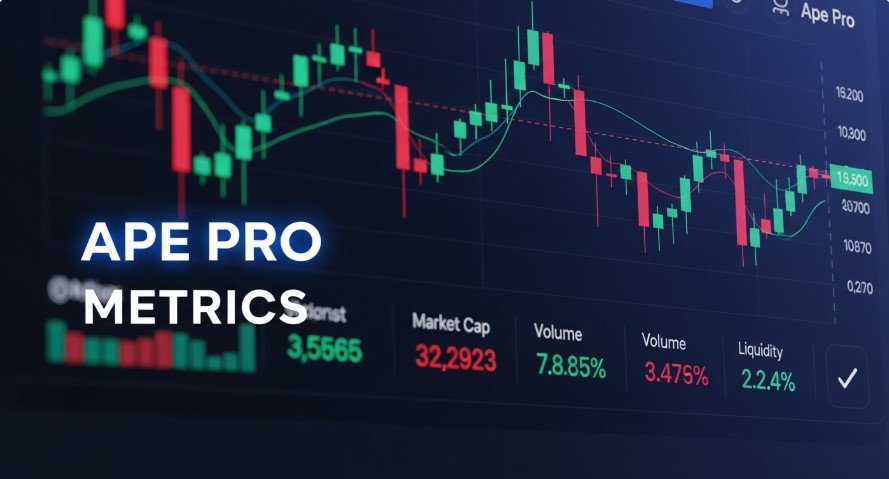
Ape Pro is a memecoin trading platform on the Solana blockchain, built by Jupiter, a top decentralized exchange (DEX) aggregator. Launched in October 2024, it offers a simple interface, low fees (0.069% during promotions), and secure features like a vault system. Traders can access real-time data and participate in the Jupiter airdrop for rewards. This guide explains how to read key metrics on Ape Pro to make informed trading decisions in the fast-paced memecoin market.
Key Metrics on Ape Pro Explained
Ape Pro displays essential metrics for each token, helping traders assess performance and risks. Here’s how to interpret them:
Price
Price shows the current value of one token in SOL or USD. It reflects what you’ll pay to buy or receive when selling.
- Why it matters: Price changes reveal market trends. A rising price may signal demand, while a drop could indicate selling.
- How to use it: Check historical price data on Ape Pro’s charts to identify trends. Avoid buying during sudden spikes without research.
Market Cap
Market cap is the token’s price multiplied by its total supply. It shows the token’s overall market size.
- Why it matters: Higher market caps suggest stability, while lower ones indicate higher risk and volatility.
- How to use it: Compare market caps to assess a token’s reliability. Low market cap tokens may offer big gains but carry more risk.
24-Hour Volume
This metric tracks the total value of a token traded in the past 24 hours.
- Why it matters: High volume means strong activity and liquidity, making trades easier. Low volume may cause price swings.
- How to use it: Choose tokens with higher volumes for smoother trades, especially for large orders.
Liquidity
Liquidity measures how easily a token can be traded without impacting its price.
- Why it matters: High liquidity reduces slippage (unexpected price changes during trades). Low liquidity increases risk.
- How to use it: Check liquidity before trading large amounts. Use Ape Pro’s order book (if available) to see liquidity depth.
Holders
Holders show the number of unique wallets owning the token.
- Why it matters: More holders suggest wider adoption and lower manipulation risk. Few holders may indicate centralization.
- How to use it: Look for tokens with growing holder counts for signs of community support and stability.
Rug Check
Ape Pro’s Rug Check scans tokens for scam risks, like rug pulls or suspicious contracts.
- Why it matters: It helps protect your funds by flagging unsafe projects.
- How to use it: Always check Rug Check results before investing. Combine with external research for safety.
Quick Buy
Quick Buy lets you purchase tokens instantly with minimal steps.
- Why it matters: It’s fast but requires caution to avoid rushed decisions.
- How to use it: Use Quick Buy for small, well-researched trades after checking other metrics.
How to Use Ape Pro Effectively
Follow these steps to trade smartly on Ape Pro and leverage its features:
- Connect a Wallet
Link a Web3 wallet like Phantom or Solflare, or use social logins (Google, Apple). Ensure your wallet has SOL for fees.
- Tip: Verify wallet connections to avoid phishing scams.
- Deposit Funds
Send SOL to Ape Pro’s secure vault, accessible only by your wallet.
- Tip: Start with a small deposit to test the platform. Learn more in our guide on How to Withdraw Money from Crypto.com.
- Explore Tokens
Use the search bar or filters (e.g., by liquidity or age) to find memecoins. Check metrics like volume and holders.
- Tip: Focus on tokens with strong metrics for safer trades.
- Use Safety Tools
Run Rug Check on tokens to spot risks. Research projects on their websites or social media.
- Tip: Combine Rug Check with external due diligence.
- Trade Smartly
Use real-time charts and limit orders for precise trades. Quick Buy is great for fast markets but use it cautiously.
- Tip: Take advantage of 0.069% promotional fees.
- Join Airdrops
Trading on Ape Pro qualifies you for Jupiter’s airdrop rewards.
- Tip: Trade regularly but responsibly to earn more. Check the Jupiter Airdrop Guide.
- Track Your Portfolio
Monitor your holdings with Ape Pro’s real-time updates. Set price or volume alerts for key tokens.
- Tip: Add tokens to your watchlist for easy tracking.
Ape Pro Features and Benefits
| Feature | Description | Benefit for Traders |
|---|---|---|
| Smart Wallet | Supports Web3 and social logins | Easy access, high security |
| Low Fees | 0.069% trading fees (promotional) | Cost-effective trading |
| Rug Check | Scans for scam risks | Protects against fraudulent tokens |
| Real-Time Data | Live price, volume, and charts | Informed trading decisions |
| Jupiter Airdrop | Rewards for active trading | Extra incentives for users |
| Mobile-Friendly | Works seamlessly on mobile and web | Trade anywhere, anytime |
Tips for Reading Charts and Making Decisions
Ape Pro’s charts help you analyze token performance. Here’s how to use them:
- Price Trends: Spot upward or downward trends. Look for support (where prices stop falling) or resistance (where prices stop rising) levels.
- Volume Patterns: High volume with price increases shows strong demand. High volume with drops may signal selling.
- Liquidity Depth: Check the order book (if available) for buy/sell orders to gauge liquidity.
- Token Age: Newer tokens (shown in “Token/Age”) may be riskier but have high reward potential.
- Community Signals: Growing holder counts and active project updates (on Twitter or Discord) indicate reliability.
For more on liquidity, read our guide on Crypto Liquidity Explained.
Frequently Asked Questions
What is Ape Pro?
Ape Pro is a Solana-based memecoin trading platform by Jupiter, offering low fees and safety tools like Rug Check.
How do I deposit funds on Ape Pro?
Send SOL to Ape Pro’s vault using a wallet like Phantom. Ensure enough SOL for fees.
Is Ape Pro safe for trading?
Ape Pro uses Rug Check and secure vaults, but research tokens thoroughly to avoid scams.
How do I qualify for the Jupiter airdrop?
Trade actively on Ape Pro to earn airdrop rewards. See the Jupiter Airdrop Guide.
How do I read Ape Pro’s charts?
Analyze price trends, volume, and liquidity on charts to spot trading opportunities.
Which tokens are best on Ape Pro?
Choose tokens with high liquidity, growing holders, and clean Rug Check results. Always research projects.
Conclusion
Reading numbers on Ape Pro empowers you to trade memecoins confidently. By understanding price, market cap, volume, liquidity, and holders, you can spot trends and avoid risks. Ape Pro’s low fees, Rug Check, and real-time data make it ideal for Solana memecoin trading. Start small, use safety tools, and explore the Jupiter airdrop to maximize your experience.
More:

